ResidentsPay your rentMaintenance request
Online tenant portal

Before you start

You sign up on the Compass Property Management website, compassmgt.com. Compass is the company that manages One Loop Apartments. The sign-up form asks for your name, email, mobile number and where you live. Have those ready and it only takes a minute.

Already have an account? Log in from the resident information page, where you will also find what the portal can do.
Pay your rentMaintenance request
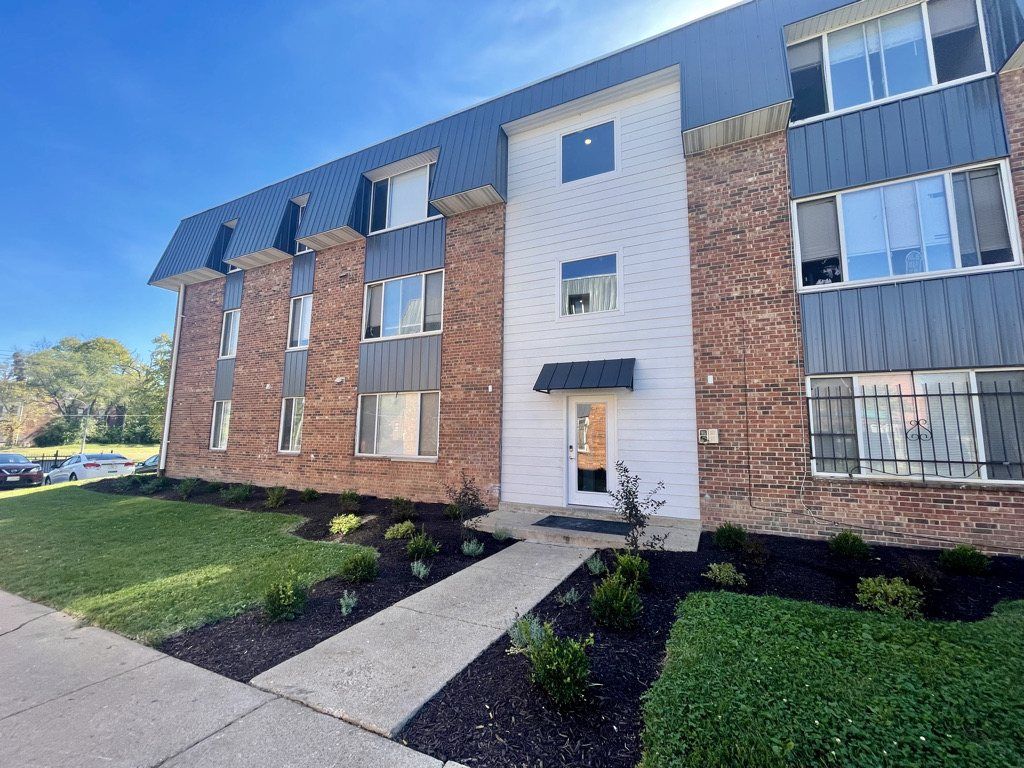
Renovated One Loop building

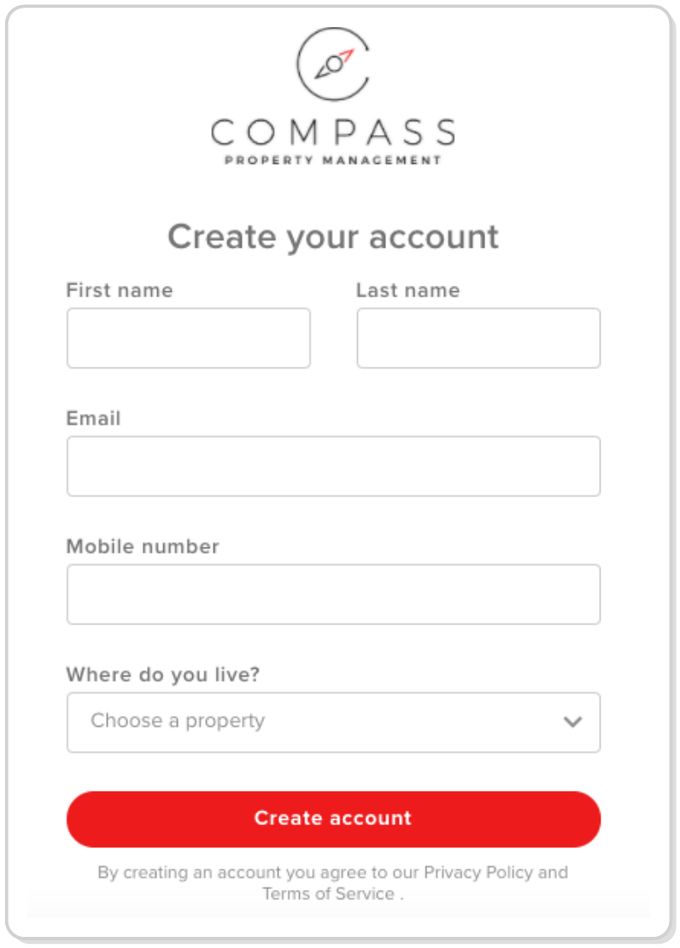
What the form asks for

NameFirst and last name
EmailYour email address
Mobile numberYour cell phone
Where do you live?Choose One Loop Apartments

Four quick steps

1

Go to compassmgt.com.

2

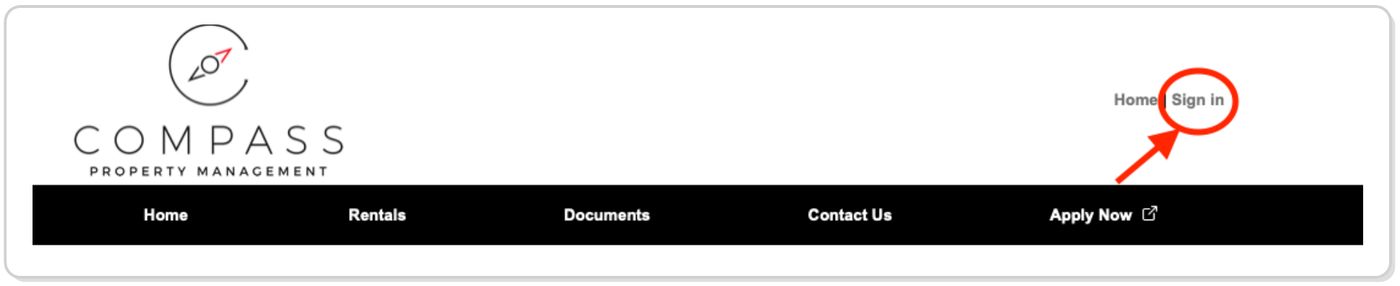
Click “Sign In” at the top right corner of the page.

Compass Property Management website header with the Sign In link circled at the top right
3

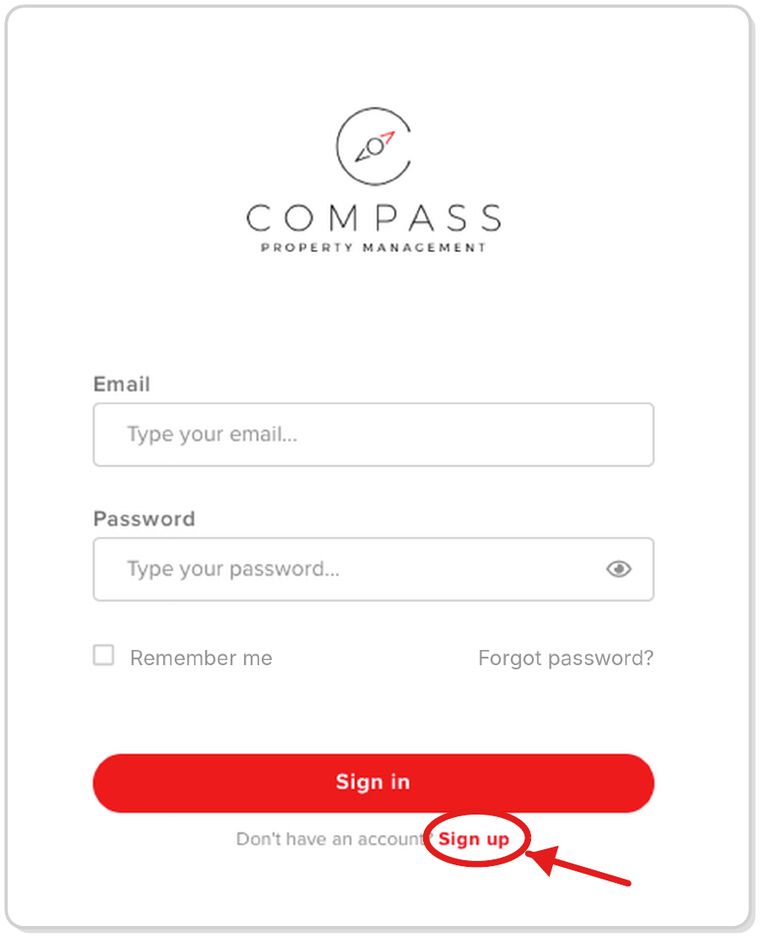
Click “Sign up” below the Sign In button.

Portal sign-in screen with the Sign up link circled below the Sign in button
4

Fill out the form, then click “Create account.”

Create your account form with first name, last name, email, mobile number, where do you live and the Create account button

Don’t see your property in the list? Contact the office or your property manager for further instructions.

Questions

How do I sign up for the One Loop resident portal?

Go to compassmgt.com, click “Sign In” at the top right, click “Sign up” below the Sign In button, then fill out the form and click “Create account.”

What do I need to create my account?

The form asks for your first and last name, email, mobile number and where you live.

What if I don’t see my property in the list?

Contact the office or your property manager for further instructions.

Who can I call with questions?

Call the office at (314) 590-3135.

Keep exploring

1st month free →